

- Home
-
-
Photovoltaic Inverter Maintenance & Common Fault Troubleshooting
Views: 0 Author: Site Editor Publish Time: 2026-05-19 Origin: Site
![facebook sharing button]()
![twitter sharing button]()
![line sharing button]()
![wechat sharing button]()
![linkedin sharing button]()
![pinterest sharing button]()
![whatsapp sharing button]()
![kakao sharing button]()
![snapchat sharing button]()
![sharethis sharing button]()
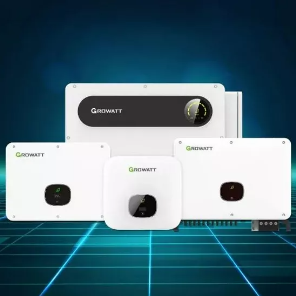
The photovoltaic inverter is the brain of any solar energy system, a critical component that converts DC power from the panels into usable AC power for your operations. When it fails, energy production halts, directly impacting your bottom line. Every hour of downtime represents lost revenue and a diminished return on your solar investment. Decision-makers must constantly balance the cost of proactive maintenance against the financial risk of unexpected failures. This guide provides a clear technical and economic framework for troubleshooting common faults, evaluating repair versus replacement, and implementing a strategy to optimize inverter performance and longevity. You will learn how to diagnose issues methodically and make informed financial decisions that protect your solar asset's bankability.
Key Takeaways
Proactive vs. Reactive: Scheduled maintenance can extend inverter lifespan by 3–5 years and prevent catastrophic "thermal runaway."
Safety First: Always follow the standardized AC/DC shutdown sequence to allow capacitor discharge (5–10 minutes).
Decision Logic: Use the "10-Year Rule"—if an out-of-warranty inverter fails after a decade, replacement often yields a higher ROI than repair due to efficiency gains.
Brand Nuance: Troubleshooting steps vary significantly between string inverters, microinverters, and hybrid systems with BMS integration.
The Business Case for Proactive Photovoltaic Inverter Maintenance
Proactive maintenance is not just an expense; it is an investment in asset protection and revenue assurance. Neglecting your inverter’s health directly erodes its performance and, consequently, your financial returns. Understanding the tangible impacts on Total Cost of Ownership (TCO) is the first step toward building a robust operations and maintenance (O&M) plan.
Impact on TCO (Total Cost of Ownership)
The most common and insidious threat to inverter performance is heat. Over time, cooling fins and ventilation fans accumulate dust, pollen, and debris. This buildup acts as an insulator, trapping heat and preventing effective dissipation. The inverter’s internal components then operate at elevated temperatures, leading to a condition known as "Thermal Derating." In this state, the inverter intelligently reduces its power output to protect itself from overheating. This can reduce your daily energy harvest by up to 20% long before a complete fault occurs, creating a significant and often unnoticed revenue leak. Consistent cleaning and inspection prevent this degradation, maximizing TCO.
Success Criteria for O&M
A successful O&M strategy is data-driven. You should define clear Key Performance Indicators (KPIs) to benchmark your inverter's health. Key metrics include:
Uptime Percentage: Aim for an uptime of 99.5% or higher. This KPI directly measures the inverter's availability to generate power.
Conversion Efficiency: Monitor the inverter's efficiency against its manufacturer-specified curve. A consistent drop may indicate component aging or a developing fault.
Fault Log Frequency: Track how often the system logs minor faults or warnings, even if they self-correct. An increasing trend often precedes a major failure.
Risk Mitigation
Your inverter’s warranty is not unconditional. Manufacturers often specify operating conditions, and failure to meet them can void coverage. It is crucial to identify and mitigate environmental stressors unique to your location. For coastal installations, salt mist can corrode heatsinks and electrical contacts. In agricultural or tropical areas, high humidity can lead to moisture ingress and short circuits. Furthermore, rodents and other pests are known to chew through wiring, causing dangerous arc faults. Implementing simple mitigation measures like installing pest guards or ensuring proper enclosure seals can prevent costly, non-warrantied repairs.
Diagnosing Common Faults: A Tiered Troubleshooting Framework
When an inverter issue arises, a structured diagnostic approach saves time and prevents unnecessary service calls. This tiered framework separates simple visual checks from more complex system-level analysis, allowing on-site personnel to resolve common problems safely and efficiently.
Level 1: Visual and Auditory Indicators
Your first line of defense is a simple sensory check. Many issues provide clear external clues without requiring any tools.
Interpreting LED Status Lights
Status lights are the inverter's primary communication tool. While specific color codes vary by brand, the general logic is consistent:
Solid Green: System operating normally and producing power.
Flashing Green/Blue: System is starting up, shutting down, or in standby mode waiting for sufficient sunlight.
Solid or Flashing Red/Orange: A fault has occurred. Note the color and flashing pattern, as this often corresponds to a specific error code in the user manual.
Noise Diagnosis
An inverter's sound can also be a powerful diagnostic indicator. It's important to distinguish normal operational noises from signs of trouble.
Normal Hum: A low, steady hum during operation is typical, caused by the cooling fans and internal magnetic components.
Dangerous Buzzing: A loud, inconsistent buzzing or crackling sound can signal a serious issue like a loose transformer or a potential arc fault. If you hear this, perform an emergency shutdown immediately and call a certified technician.
Level 2: System-Level Error Codes
If visual checks don't resolve the issue, the next step is to interpret the error codes displayed on the inverter's screen or monitoring platform. These codes point to specific electrical or grid-related problems.
Isolation Faults (ISO Fault)
An Isolation Fault indicates a dangerous current leak from the DC side of the system to the ground. This is often caused by moisture penetrating a solar panel, junction box, or a section of damaged cable insulation. These faults are more common in high-humidity environments or after heavy rain. The inverter will refuse to start up until the electrical leak is located and repaired by a professional.
Grid Overvoltage
This common fault occurs when the inverter shuts down during peak sun hours, typically midday. It happens when the local grid's voltage rises above the inverter's pre-set safety limits (e.g., UL 1741 standards). This voltage rise is often due to high solar penetration in your neighborhood; as many systems feed power into the grid simultaneously, the local voltage increases. Resolving this may require coordinating with your utility company to adjust the inverter's voltage trip settings.
Level 3: Communication and Monitoring Failures
Sometimes the Photovoltaic Inverter is working perfectly, but you can't see the data. Communication failures are frustrating but usually resolvable.
Addressing the 2.4GHz vs. 5GHz Wi-Fi Frequency Mismatch
A primary cause of monitoring connection loss is a Wi-Fi frequency mismatch. Most inverters are designed to connect only to a 2.4GHz Wi-Fi network for longer range and better signal penetration through walls. Many modern routers broadcast both 2.4GHz and 5GHz frequencies, sometimes under the same network name. If your router auto-assigns the inverter to the 5GHz band, the connection will fail. You may need to create a dedicated 2.4GHz network for your solar equipment.
BMS-Inverter Handshake Protocols
In hybrid systems with battery storage, communication between the Battery Management System (BMS) and the inverter is critical. A failed "handshake" can prevent the battery from charging or discharging. This can be caused by a mismatched communication protocol (e.g., CAN vs. RS485), a faulty data cable, or incorrect firmware on either the BMS or the inverter. Always ensure the components are listed on the inverter manufacturer's approved battery compatibility list.
Standardized "Hard Reset" and Testing Procedures
Before calling for professional service, performing a standardized "hard reset" can often resolve temporary glitches or communication errors. However, this process must be done with an unwavering commitment to safety. For deeper issues, professional diagnostic tools are essential to accurately pinpoint the root cause.
The Safety-First Shutdown Sequence
Internal capacitors in an inverter can store a lethal electrical charge for several minutes after it is turned off. Never skip the waiting period. Follow this exact sequence to ensure a safe restart:
Switch off the AC Circuit Breaker: Locate the breaker for the inverter in your main electrical panel or AC combiner box and turn it to the "Off" position. This disconnects the inverter from the grid.
Turn off the DC Disconnect/Switch: Locate the rotary DC switch on the inverter itself or a separate DC isolator box between the panels and the inverter. Turn it to the "Off" position. This stops the flow of power from the solar array.
Wait 5–10 minutes: This step is critical. It allows the internal capacitors to fully and safely discharge. The inverter's screen should go completely blank.
Reverse the process to restart: First, turn the DC Disconnect/Switch back to "On." Then, turn the AC Circuit Breaker back to "On." The inverter will begin its startup sequence, which can take several minutes.
Professional Diagnostic Tools
When a hard reset doesn't work, technicians rely on specialized equipment to diagnose the problem accurately. Using the right tools prevents guesswork and protects the equipment.
The Necessity of True RMS Multimeters
A standard multimeter can give inaccurate readings on the modified sine wave AC output of some inverters. A True RMS (Root Mean Square) Multimeter is required for accurate AC voltage measurements. Technicians use it to perform critical checks, like verifying DC input voltage from the strings and measuring AC output voltage to ensure it's within grid specifications.
Using Thermal Imaging
A thermal imaging camera can instantly identify "hot spots" that are invisible to the naked eye. This is invaluable for finding loose terminal block connections, which create resistance and heat. It can also reveal overheating internal components on a printed circuit board (PCB), pointing to a failing capacitor or transistor before it fails completely.
IV Curve Tracing
If underperformance is suspected, an IV Curve Tracer is the definitive tool. It measures the current (I) versus voltage (V) relationship for an entire string of solar panels. By comparing the measured curve to the manufacturer's expected curve, a technician can definitively determine if the power loss is due to panel degradation, shading, or soiling, or if the problem truly lies within the inverter's MPPT (Maximum Power Point Tracking) circuit.
Evaluation Lens: Repair vs. Replacement Decision Matrix
When an out-of-warranty Photovoltaic Inverter fails, you face a critical financial decision. A simple repair might seem cheaper upfront, but a full replacement can offer superior long-term ROI. Using a structured decision matrix helps clarify the best path forward.
Warranty Status
First, verify the warranty status. Many manufacturers offer a 5 or 10-year parts warranty but may only cover labor for the first 1-2 years. Understanding this distinction is crucial. A "covered" repair might still involve significant labor costs. Be sure to ask if the manufacturer has a labor allowance for certified installers, which could offset your out-of-pocket expenses.
The Efficiency Gap
Inverter technology has advanced rapidly. A 10-year-old inverter might have a peak efficiency of around 94-95%. Modern inverters, especially those using silicon carbide (SiC) components, can achieve peak efficiencies of over 98%. While a 3-4% difference sounds small, it compounds over years. For a commercial system, this efficiency gain can translate into thousands of dollars in additional energy revenue over the new inverter's lifespan, often justifying the replacement cost.
Scalability and Compliance
Grid standards are constantly evolving. If your facility plans to add batteries or expand its solar array in the future, repairing an old, obsolete inverter is short-sighted. A new inverter will be compliant with modern grid-support requirements (like UL 1741 SA/SB or California's Rule 21), ensuring it can interact with the grid intelligently. Upgrading provides future-proofing that a simple repair cannot.
Estimated Costs
To make a sound financial decision, you need transparent cost data. The table below provides a general framework for comparison.
Decision Factor Repair Scenario Replacement Scenario Upfront Cost Labor: $200 – $500 + Parts Cost Full Unit: $1,500 – $3,500+ Warranty Often 90-day warranty on the repair only New 10-25 year manufacturer warranty Efficiency Remains at original (lower) level Modern high-efficiency (~98%+) Future Compliance Not compliant with new grid codes Fully compliant and future-proofed Long-Term ROI Lower; risk of another component failing Higher; due to efficiency gains and reliability Establishing a Long-Term O&M Strategy
Moving from a reactive to a proactive mindset is the key to maximizing the lifespan and financial performance of your solar assets. A structured Operations & Maintenance (O&M) strategy combines a regular maintenance schedule with smart partner selection and modern monitoring technology.
The Maintenance Calendar
A simple, consistent maintenance calendar ensures that small issues are caught before they become catastrophic failures. This schedule can be scaled based on system size and environmental conditions.
Quarterly: Conduct a thorough visual inspection. Check that all air vents and cooling fans are clear of leaves, dust, and other debris. Inspect enclosure seals for any signs of cracking or water ingress. Confirm that no new environmental hazards (like overgrown vegetation) are present.
Bi-Annually: Check for and install any available firmware updates from the manufacturer. These updates often improve performance, enhance security, and fix known bugs. Review the inverter’s fault logs via the monitoring portal to identify any recurring, non-critical errors that may indicate a developing problem.
Annually: Schedule a professional service visit. A certified technician should perform key electrical tests, such as checking AC/DC voltages and verifying that all electrical connections are torqued to the manufacturer’s specifications. This prevents loose connections, a primary cause of heat buildup and arc faults.
Selecting a Service Partner
Choosing the right O&M provider is as important as choosing the right hardware. When evaluating potential partners, consider the following criteria:
Certifications: Ensure their technicians hold relevant certifications, such as those from the North American Board of Certified Energy Practitioners (NABCEP).
Response Time SLAs: The provider should offer a Service Level Agreement (SLA) that guarantees a specific response time to minimize downtime.
Brand-Specific Expertise: An ideal partner has direct experience and training with your specific brand of inverter, ensuring they are familiar with its unique software and hardware architecture.
Digital Twins and Remote Monitoring
The future of O&M is predictive, not just preventive. Modern monitoring platforms are increasingly using AI and machine learning to create "digital twins" of solar assets. These systems analyze real-time performance data against a perfect digital model of the inverter. By detecting subtle deviations, they can predict component failures—like capacitor aging or imminent fan failure—weeks or even months before the system trips. These AI-driven alerts allow you to schedule maintenance proactively, turning a potential emergency shutdown into a planned, low-cost service call.
Conclusion
The financial viability of a solar installation is directly linked to the health and uptime of its inverter. A rigorous maintenance plan is not an optional cost but a core strategy for ensuring long-term asset bankability. By shifting from a reactive "fix-it-when-it-breaks" approach to a proactive, data-driven O&M workflow, you can extend equipment life, maximize energy harvest, and secure your return on investment. The first step is to establish a standardized logbook to track performance and maintenance activities. Prioritize safety-compliant diagnostic procedures for all on-site personnel. Finally, take a moment to review your current warranty documentation and, for any system over five years old, schedule a professional health check. This proactive stance will pay dividends for years to come.
FAQ
Q: Why does my inverter show "Grid Fault" when the sun is brightest?
A: This is typically due to a "Grid Overvoltage" condition. During peak sun hours, if many local solar systems are exporting power, the voltage on the utility grid can rise. The inverter has a built-in safety feature that forces it to shut down if the grid voltage exceeds a preset limit to protect itself and the grid. You may need to contact your utility to see if the inverter's operating parameters can be adjusted.
Q: Can I clean my inverter with water?
A: Absolutely not. Never use water or any liquid to clean an inverter. It is a high-voltage electronic device, and introducing moisture can cause a catastrophic short circuit, electric shock, or permanent damage. Use a soft, dry cloth or a brush to gently remove dust from the casing and cooling fins. If using compressed air, ensure it is moisture-free.
Q: How long should a high-quality photovoltaic inverter last?
A: The industry standard lifespan for a string inverter is typically 10 to 15 years, with most manufacturers offering a 10-year warranty. However, with proactive maintenance, proper cooling, and a stable operating environment, a high-quality inverter's operational life can be extended closer to 20 years. Microinverters and power optimizers often come with longer 25-year warranties.
Q: What is the most common cause of inverter failure?
A: Heat stress is the leading cause of inverter failure. Overheating degrades critical internal components, particularly electrolytic capacitors. These components are essential for smoothing power flow, and when they fail due to prolonged exposure to high temperatures, the inverter will fault. This is why keeping cooling fins and fans clean is the most important maintenance task.
Q: Does a firmware update improve efficiency?
A: A firmware update does not typically increase the inverter's peak hardware efficiency. However, it can improve overall energy yield. Updates often refine the Maximum Power Point Tracking (MPPT) algorithms, helping the inverter find and stay on the optimal voltage/current point of the solar array more effectively, especially in changing cloud conditions. Updates also patch security vulnerabilities and ensure compliance with the latest grid safety protocols.


